Key Takeaways:
- Access depends on your plan. Only Max and Enterprise users can use Perplexity Computer right now
- It runs entirely in the cloud, so you just log in and start using it
- The system works best when you give it clear projects instead of simple questions
- The AI handles execution while you review, guide, and refine results

We’ve gone from chatbots that answer questions to "digital workers" that actually finish your to-do list. And Perplexity Computer is currently leading this charge. It isn't a physical computer you buy at a store, but a powerful cloud-based agent designed to execute complex tasks.
If you're wondering how to access Perplexity Computer, the process is simple, and we’re here to guide you through it.
What is Perplexity Computer?
Perplexity Computer is a cloud-based AI system that executes tasks instead of just answering questions. Unlike traditional AI tools, it can research, write, code, and complete workflows across tools in one continuous process.
Who can access it?
Right now, access is focused on power users and businesses. You can use Perplexity Computer if you are:
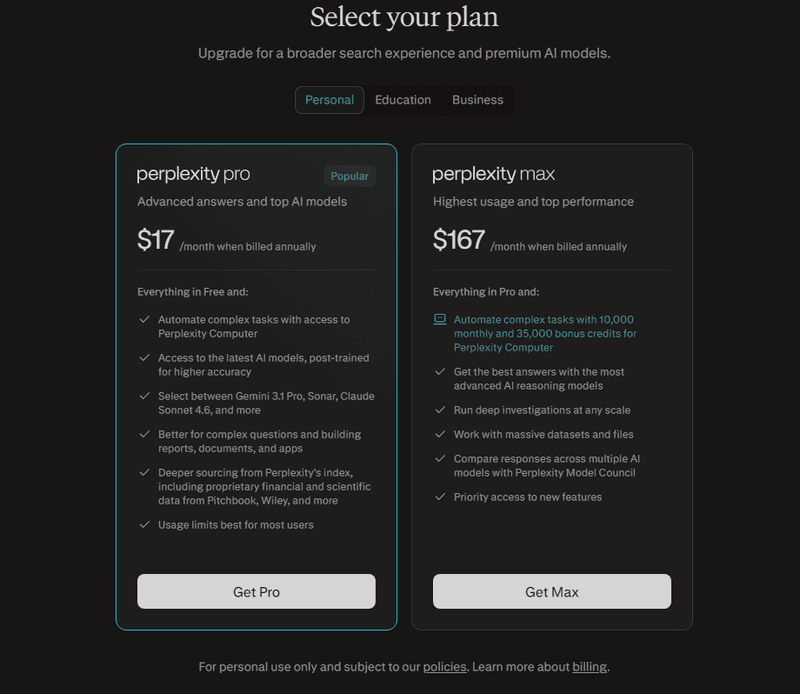
- A Perplexity Max Subscriber: This is the premium tier costing roughly $200 per month.
- An Enterprise User: Organizations have access through their professional plans.
- A Samsung Galaxy S26 Owner: Thanks to a special 2026 partnership, these users get system-level access.
Here are the subscription plans for different tiers:
Plan TierMonthly Cost (USD)Computer AccessFree$0NoPro$17 billed annuallyComing SoonMax$167 billed annuallyYesEnterprise$40 - $325Yes
Where to access the Perplexity Computer interface
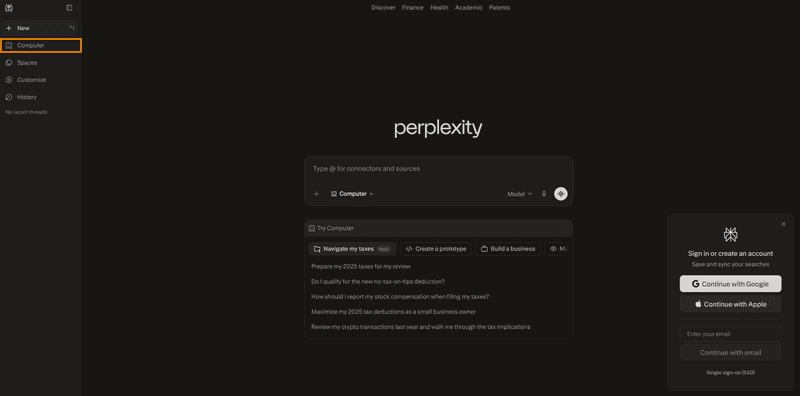
If you're looking for how to access Perplexity Computer, you don’t need to install any software or dedicate hardware. Just visit perplexity.ai and log in.
There, you’ll see the “Computer” feature waiting for you to prompt in the dashboard.
It runs entirely in a secure cloud sandbox. This means the AI does its heavy lifting on Perplexity’s servers, not touching your personal computer for computing power or resources.
Step-by-Step: How to start using Perplexity Computer
Follow these steps to access Perplexity Computer:
1. Log in to your account
Go to your Perplexity account and sign in through the web interface. This is where all your tasks, history, and workflows are managed in one place.
2. Upgrade to Max or Enterprise
Ensure you are on the Max or Enterprise plan. The Computer feature is only available to these tiers. Without access, the dashboard won’t appear in your interface.
3. Find the dashboard
Click the Computer icon or navigate to the dedicated dashboard. This opens a separate workspace designed specifically for task execution. Think of it as your control panel for managing AI-driven workflows.
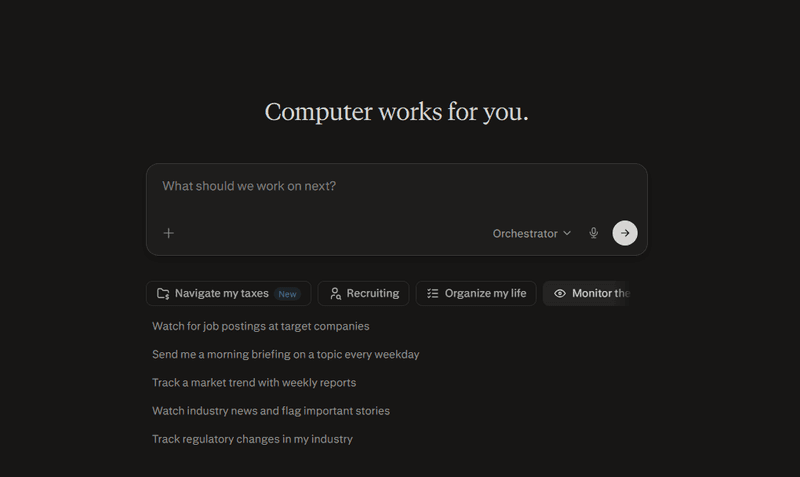
4. Set an elaborate project goal
Don’t just ask a question, give it a project. Example: “Build a market research report on AI trends and email it to my team.” The clearer your outcome, the better the system can plan and execute. It works best when you describe the final result, not just the topic.
5. Let Perplexity run
The system will break your goal into small tasks and run them automatically. Tasks can run in the background for extended periods without supervision.
What makes it different?
Standard AI is like a librarian; Perplexity Computer is like an employee.
- Multi-model power: It uses a team of AI brains (like Claude 4.6 and Gemini) to solve problems.
- Asynchronous work: It can run for hours in the background. You can close your laptop, and it will keep working.
- Tool usage: It can actually use browsers, filesystems, and APIs to get things done.
What content marketers should look forward to
To get the most out of Perplexity Computer, content marketers need to shift from execution to direction:
- Think in outcomes, not prompts: Define the final deliverable, not just the task.
- Run full workflows: Use it for end-to-end projects, not one-off content pieces.
- Leverage built-in research: Let it handle insights, trends, and competitor analysis.
- Work asynchronously: Assign tasks and let them run in the background.
- Focus on strategy: Spend more time on storytelling, positioning, and brand voice.
Conclusion
Accessing Perplexity Computer is simple. Log in, open the dashboard, and start a task. But using it well is a process. Define a clear outcome, let the system break it into tasks, and shift your role from doing the work to reviewing and refining results.
From there, your role shifts from “doing the work” to guiding, reviewing, and refining outputs as the AI runs workflows in the background.